Summary
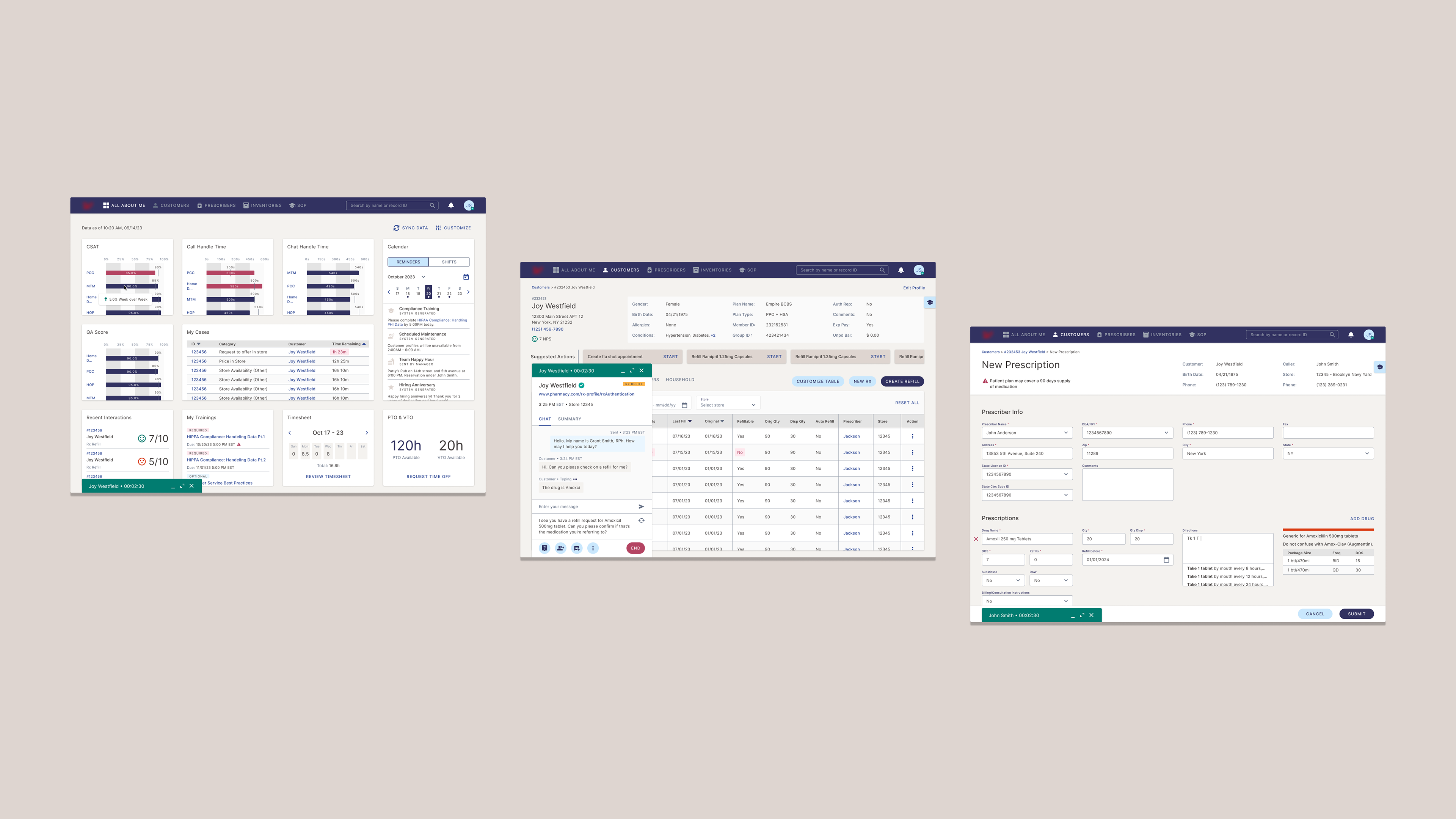
As the sole UX/UI designer, I led the design of an AI-enhanced Call Center Agent Portal for one of the world's largest pharmacy chains. The goal was to replace multiple legacy systems with a unified platform that simplified workflows, reduced training time, and increased agent productivity. I collaborated with a Product Manager and two strategists to define the product roadmap, facilitate workshops, and design over 20 MVP screens within a one-month timeframe. My focus was not only on modernizing the agent experience but also guiding stakeholders in identifying meaningful, user-centered applications of AI.
Challenge
Ramping Up Fast in a Complex Domain
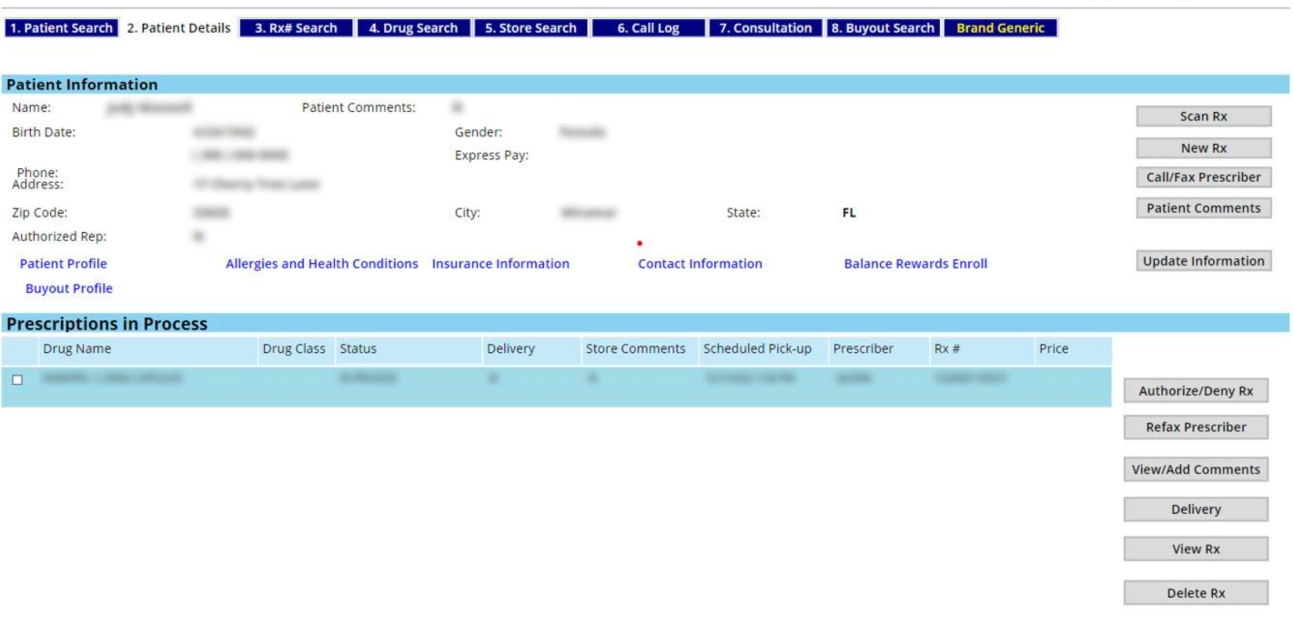
The client's pharmacy call center operations relied on a mix of off-the-shelf IVR systems and custom-built tools with little documentation. Combined with domain-specific terminology and fragmented workflows, this made it difficult to understand the end-to-end agent experience.

This complexity was especially challenging given that I joined the project with just one month remaining, replacing a designer whose work had trouble capturing the client's vision. As a result, there was added pressure to demonstrate strong design rationale and quickly build stakeholder trust.
Clarifying the Role of AI
Another challenge we faced was determining where AI could meaningfully enhance the portal experience. While stakeholders were eager to explore its potential, they lacked a clear vision for how it should be applied. The initial inclination was to use AI extensively to replace labor and maximize cost savings. However, this often overlooked the cost and complexity of AI implementation, including long-term maintenance and current limitations. Without a clear strategy, there was a risk of designing features that sounded innovative but lacked real value or scalability.
Approach
Bridging Domain Gaps with Familiar UX Patterns
To quickly ramp up in an unfamiliar domain, I drew on my enterprise design experience to identify useful analogies. For example, I recognized parallels between managing prescription refills and inventory purchase order workflows I had worked on previously. I also noticed similarities between the client's IVR tools and familiar platforms like Google Meet or Microsoft Teams. These analogies gave me a practical starting point for the design process and helped build early momentum.

Building on this foundation, I collaborated with internal SMEs to clarify domain-specific logic, brainstorm feature ideas, and tailor proven UX patterns to fit the pharmacy context. This helped accelerate design delivery and build stakeholder trust by showing that our solutions were grounded in real-world designs.

Current UI lacks visual hierarchy and has an overwhelming number of buttons.
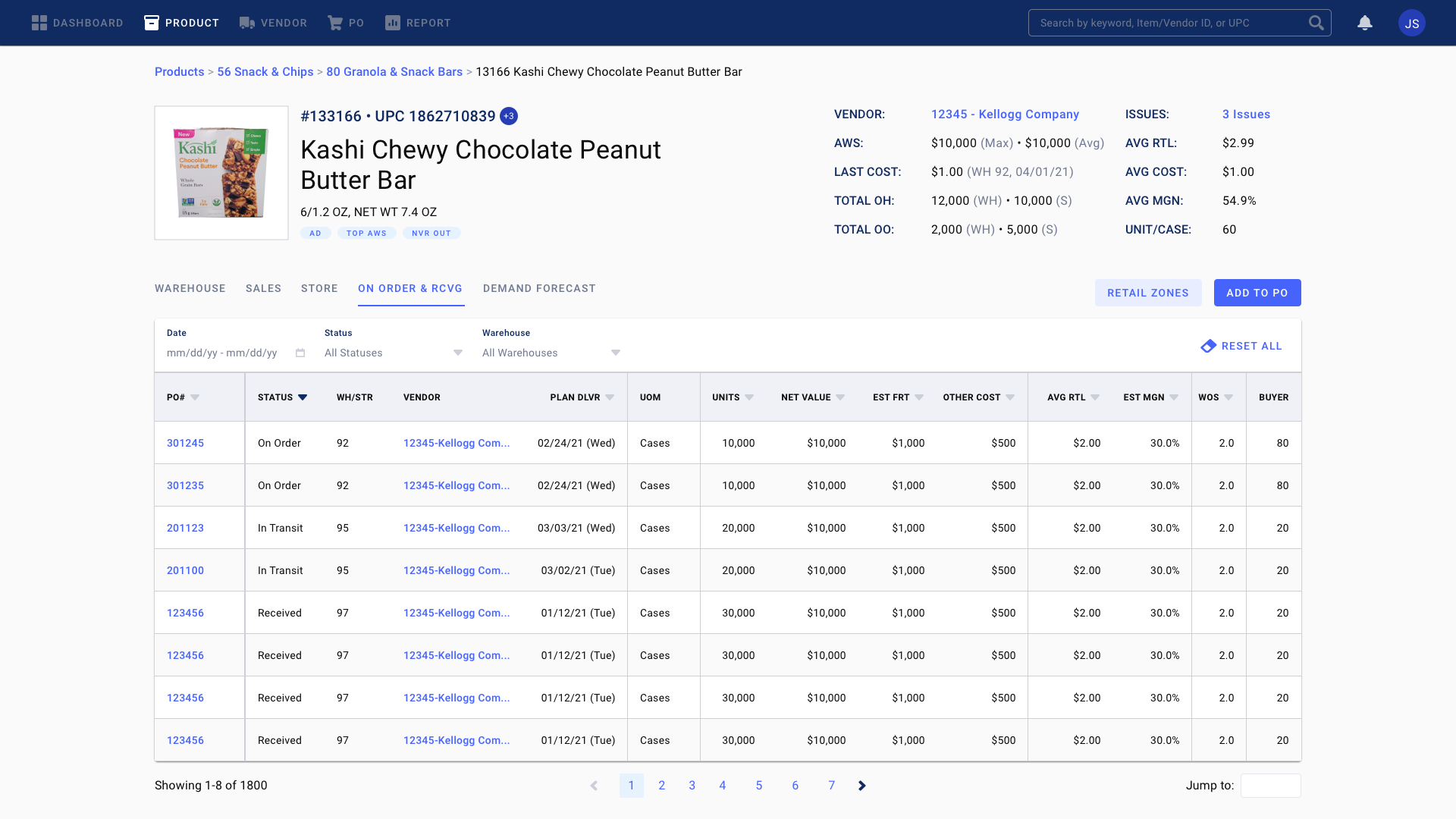
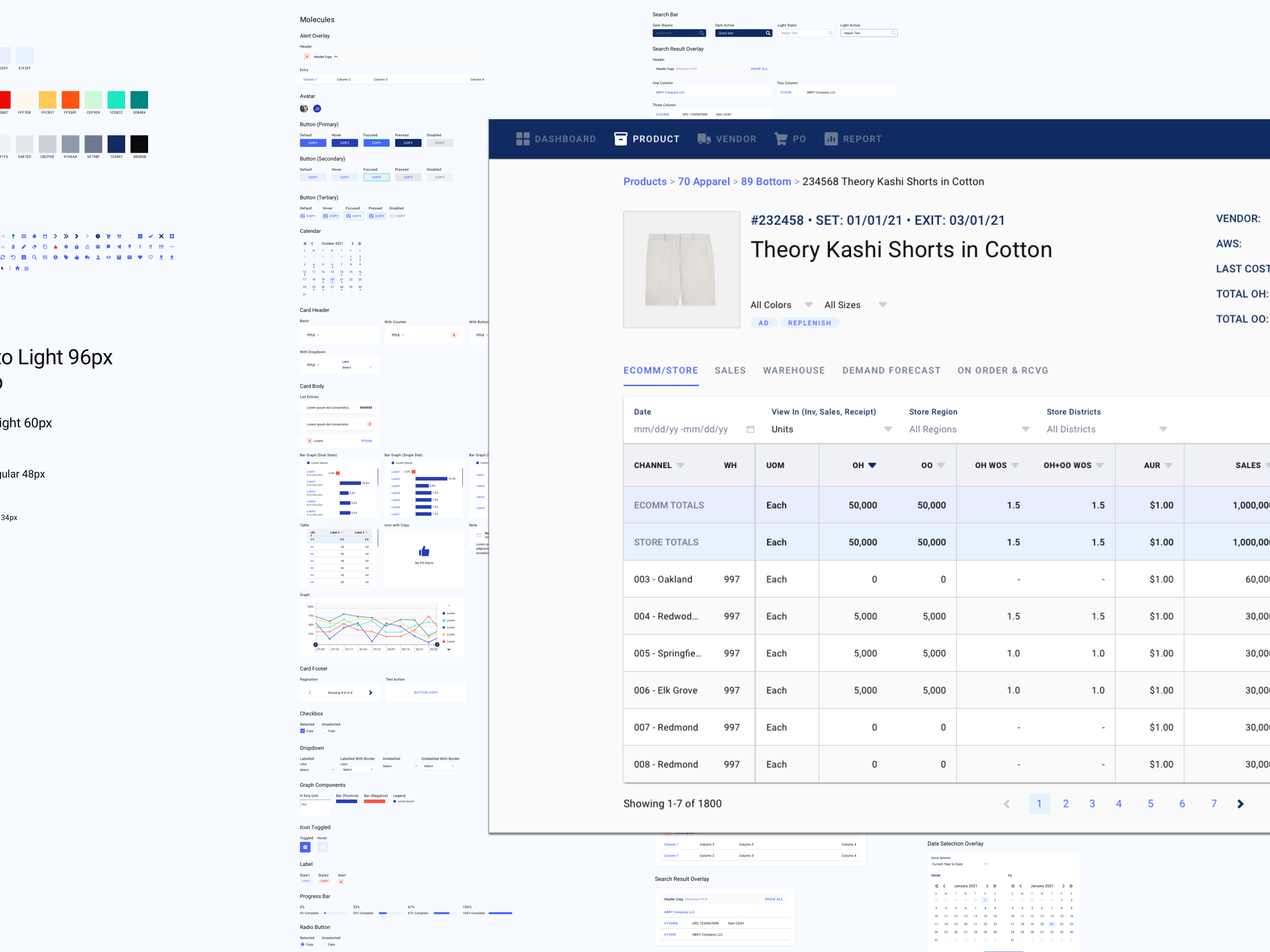
A screen I designed before for managing inventory purchase orders shares many similarities in structure and functionality.
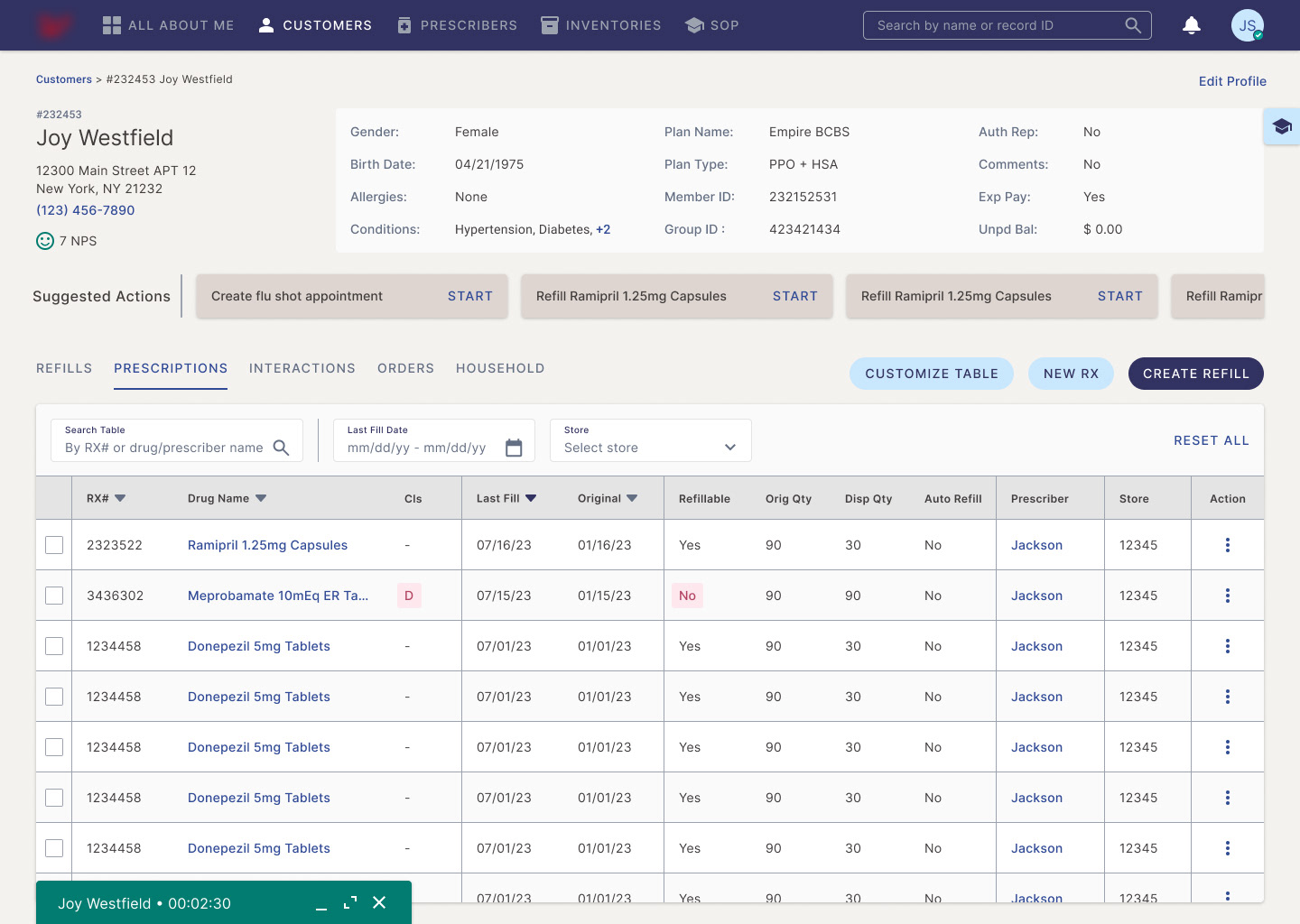
Redesigned screen focuses only on essential information and actions for this step in the flow, with improved visual grouping and additional features like search and sort to help users quickly find desired information.
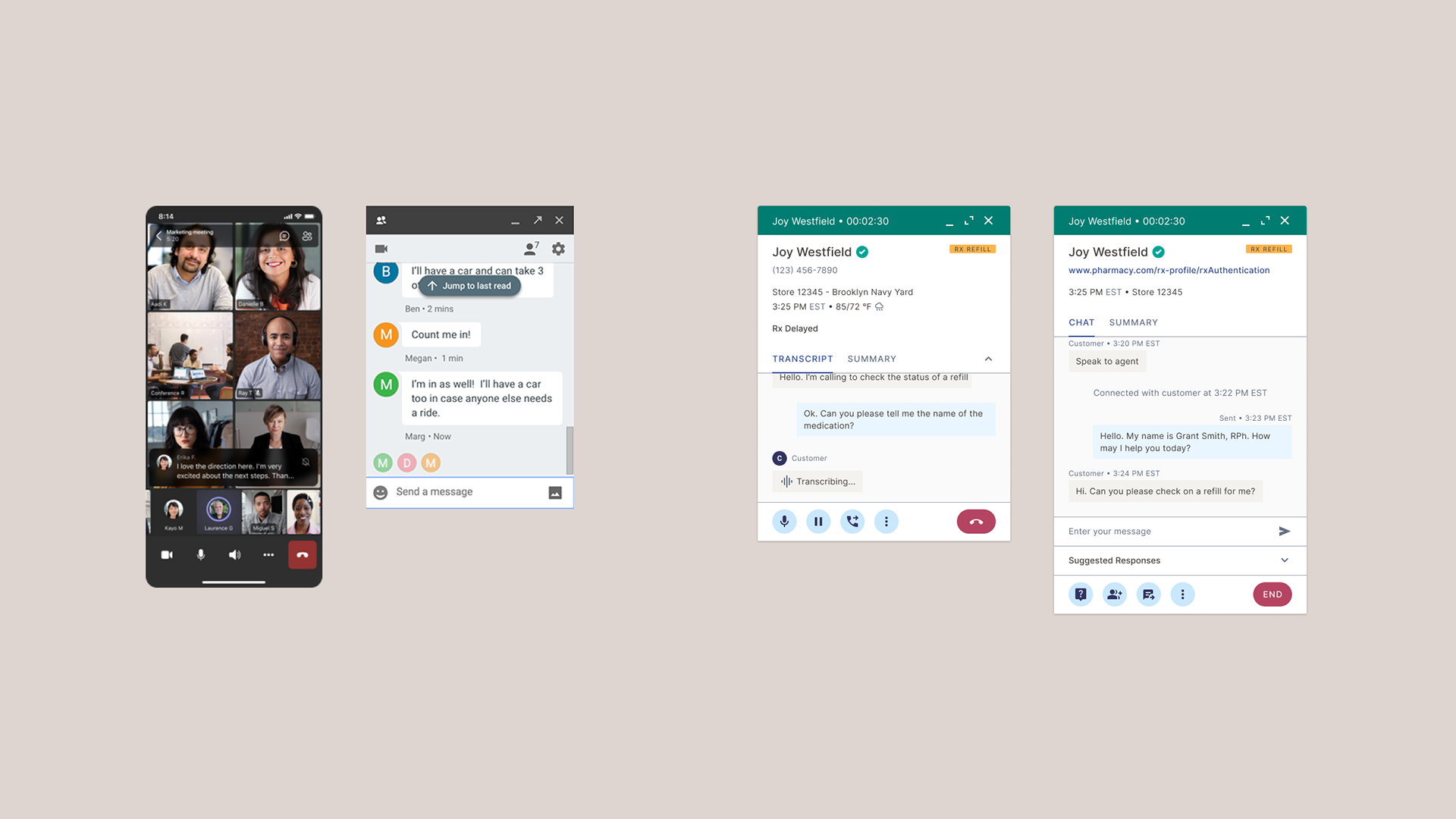
Call and chat panel designs inspired by Microsoft and Google products.
A User-Centered Strategy for AI Integration
To guide the client’s AI strategy, our team proposed a user-centered approach grounded in specific pain points from the agent experience. Rather than pursuing broad automation, we focused on identifying targeted opportunities where relatively simple AI implementations could meaningfully improve efficiency.

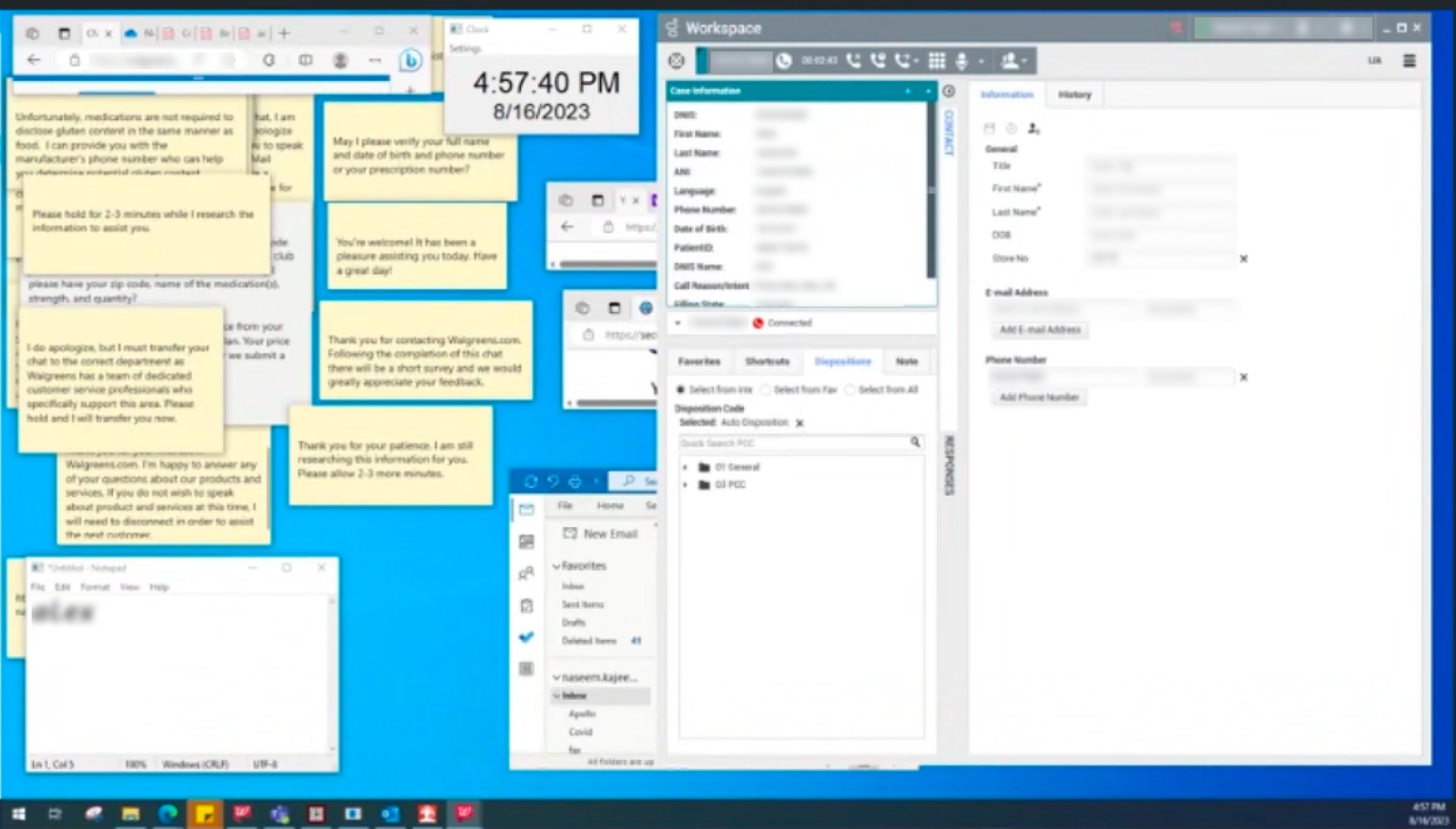
For example, we observed that agents often kept multiple notepads open on a second screen to store frequently used chat responses. Further investigation revealed that official response guidelines were stored in Word documents on a shared drive, which were difficult to search. To save time, agents copied commonly used replies into notepads for quick access. However, this workaround increased the risk of outdated or inconsistent information, as agents eventually stopped referring to the original documentation.

After consulting technical experts to assess feasibility, we incorporated two AI-powered features to address the issue. The first delivered contextual, AI-generated suggested responses directly within the chat window, helping agents work faster while ensuring the information remained accurate and current. The second introduced a Knowledge Article Panel that surfaced relevant documentation in real time, based on the live conversation transcript.

This user-centered process helped shift stakeholder thinking from abstract AI ambitions to practical, behavior-driven solutions. It also reinforced trust in our designs by demonstrating the tangible impact AI could have on the agent experience.

An agent's desktop cluttered with many notepads containing canned chat responses.
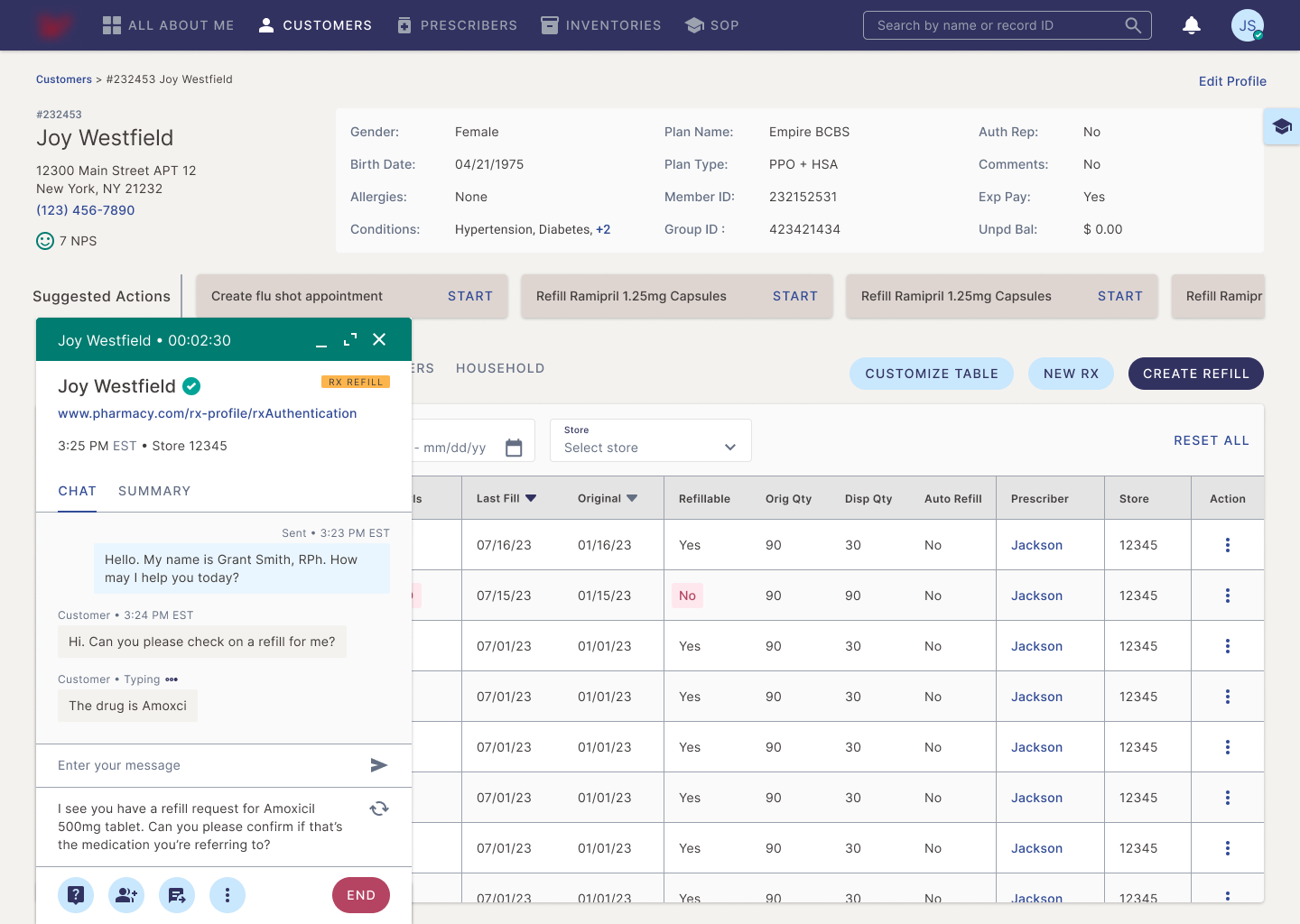
AI-generated suggested responses based on chat context and guidelines documentation.
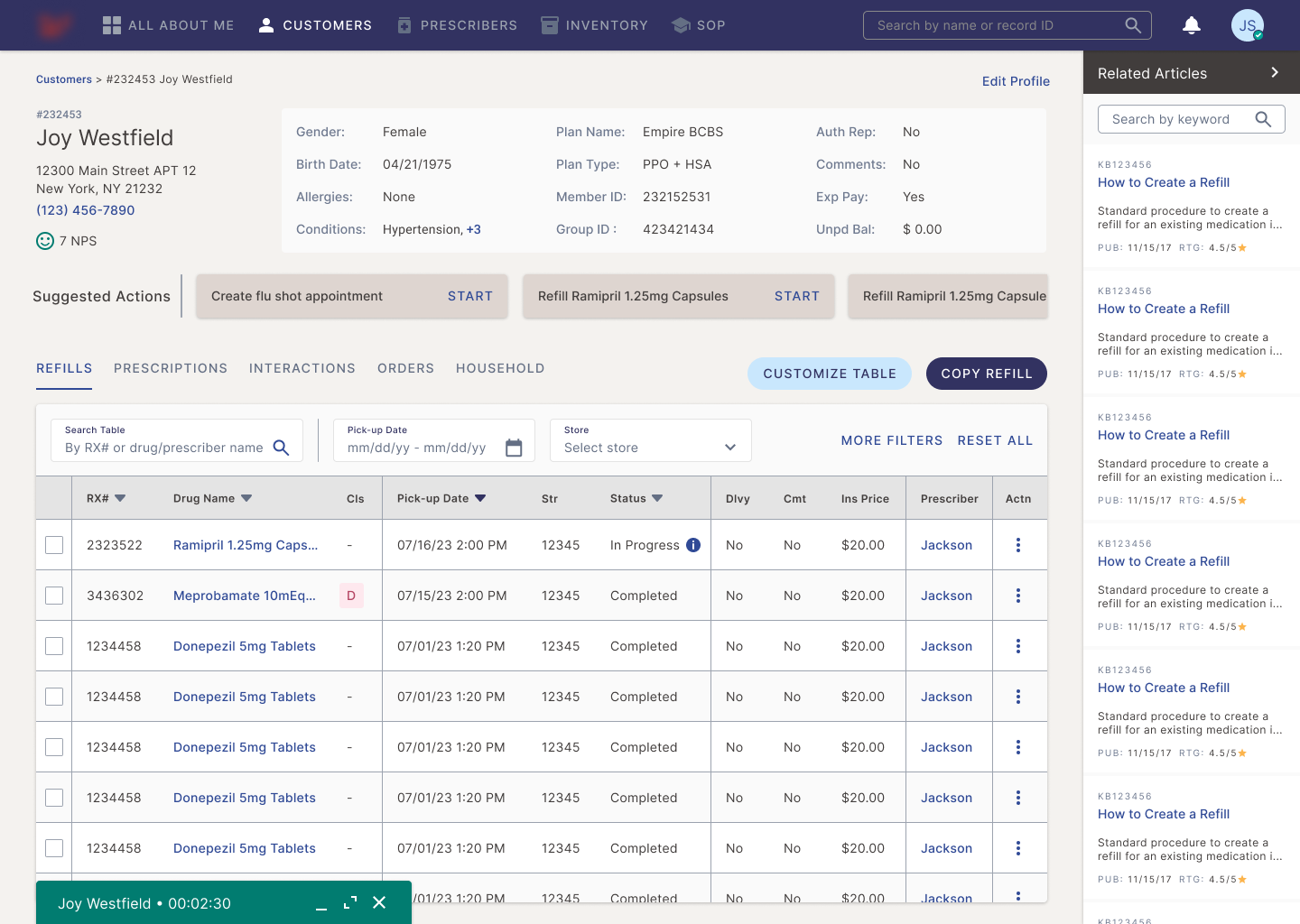
Dynamic Knowledge Articles Panel where AI surfaces relevant documents in real-time based on analysis of call/chat transcripts.

Outcome
We successfully delivered over 20 high-fidelity MVP screens, including workflows for dashboard, customer profiles, and live call/chat support. Client stakeholders were highly satisfied with the results, noting that the designs closely reflected their operational vision. They were particularly appreciative of the structured guidance on AI integration, which helped shift internal discussions toward practical, user-first applications. Building on that momentum, the client stakeholders plan to present the MVP to senior leadership to support funding decisions and prioritize next-phase development.

Key impact highlights:
• Reestablished trust in the design vision after replacing a previous designer
• Delivered over 20 high-fidelity screens in four weeks
• Improved clarity and usability across key workflows, validated by SME and stakeholder feedback
• Guided AI feature strategy based on real user behaviors, aligning tech investment with user needs and enabling demonstrable gains in efficiency

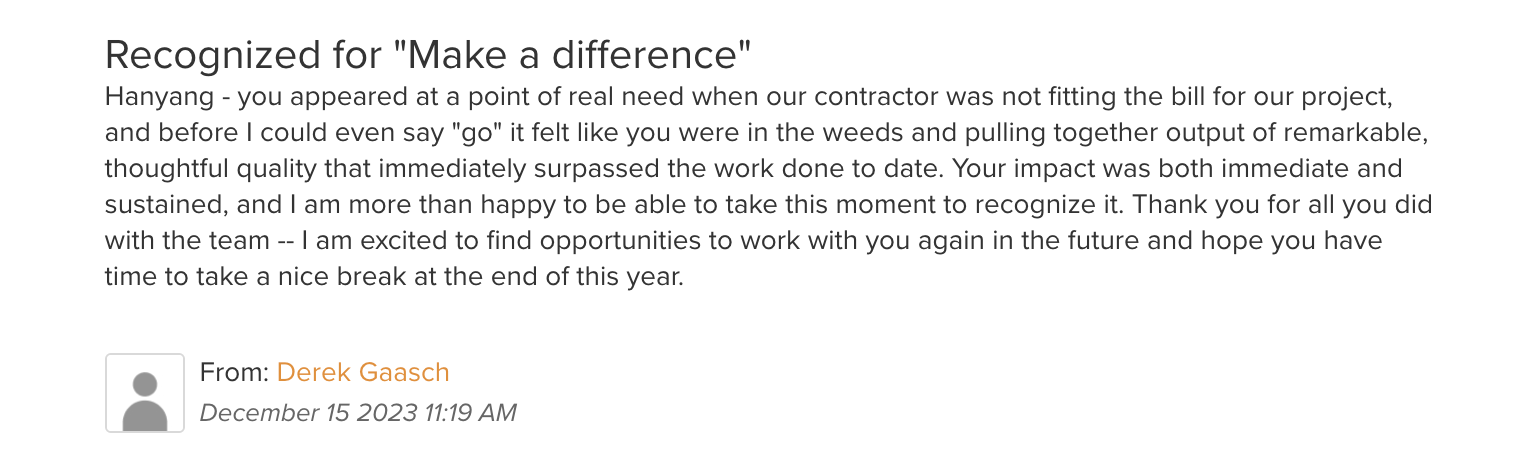
Praise from PwC Partner overseeing the project

Prototype showing the prescription refill workflow
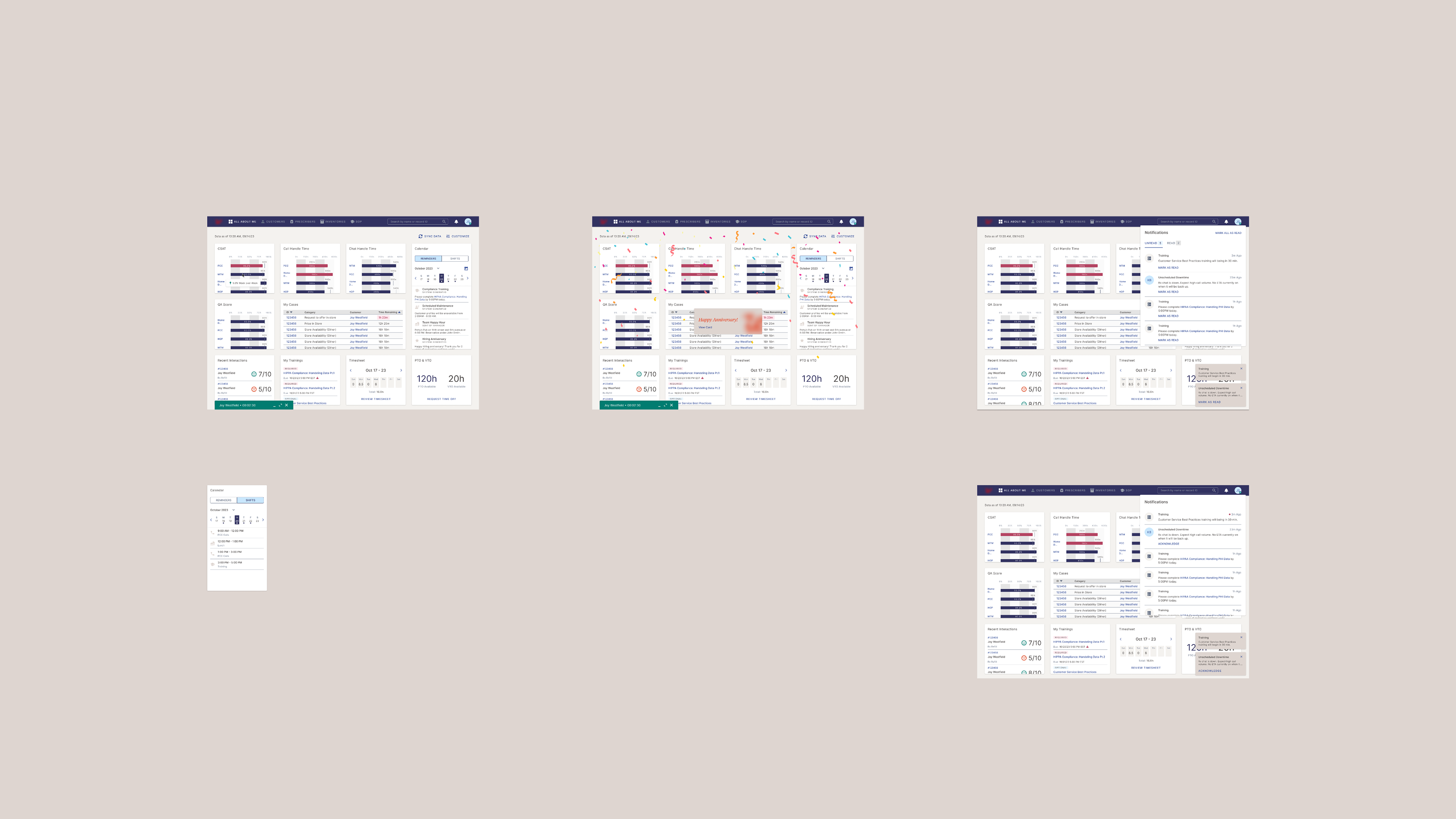
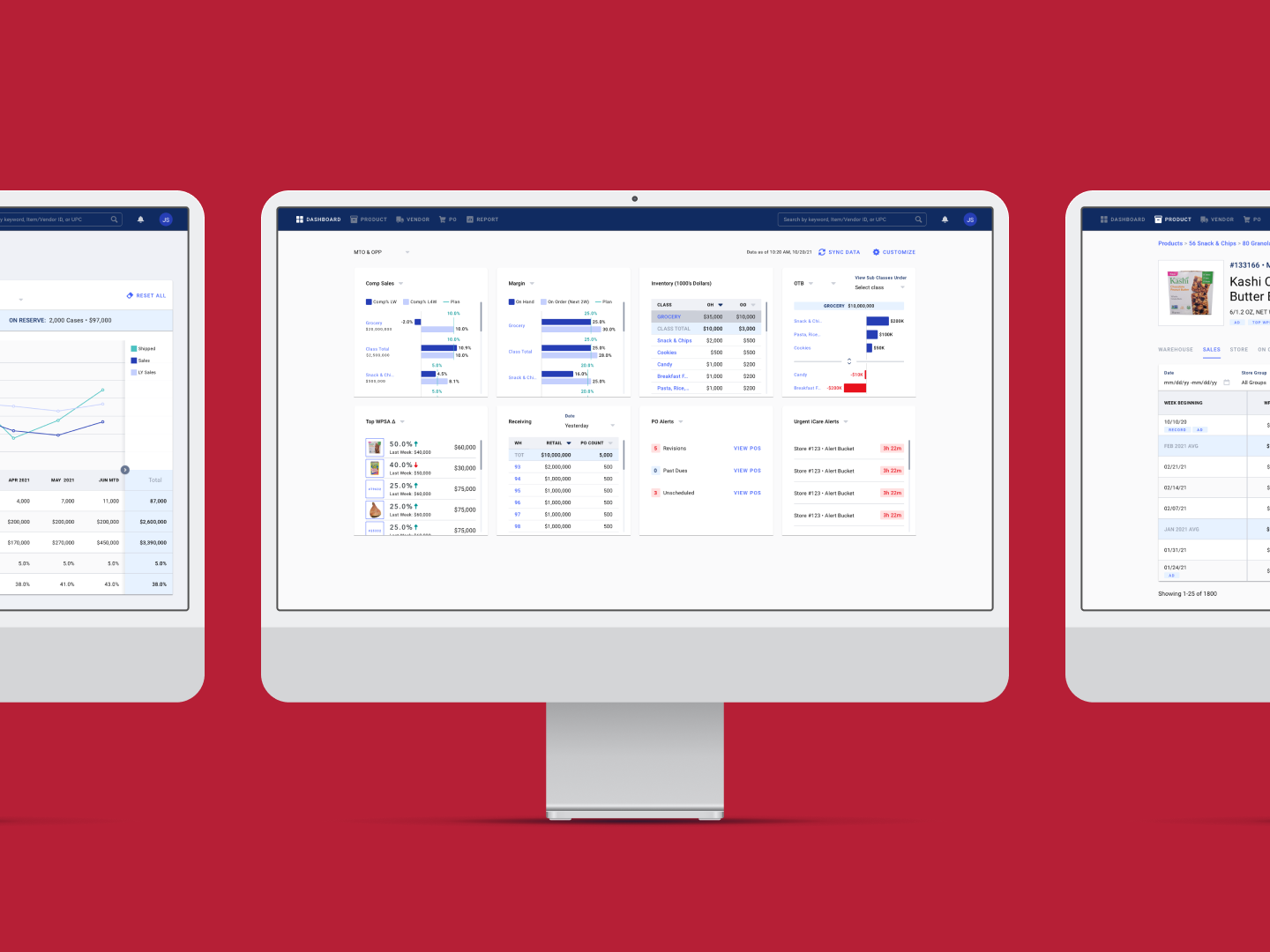
Dashboard mockups
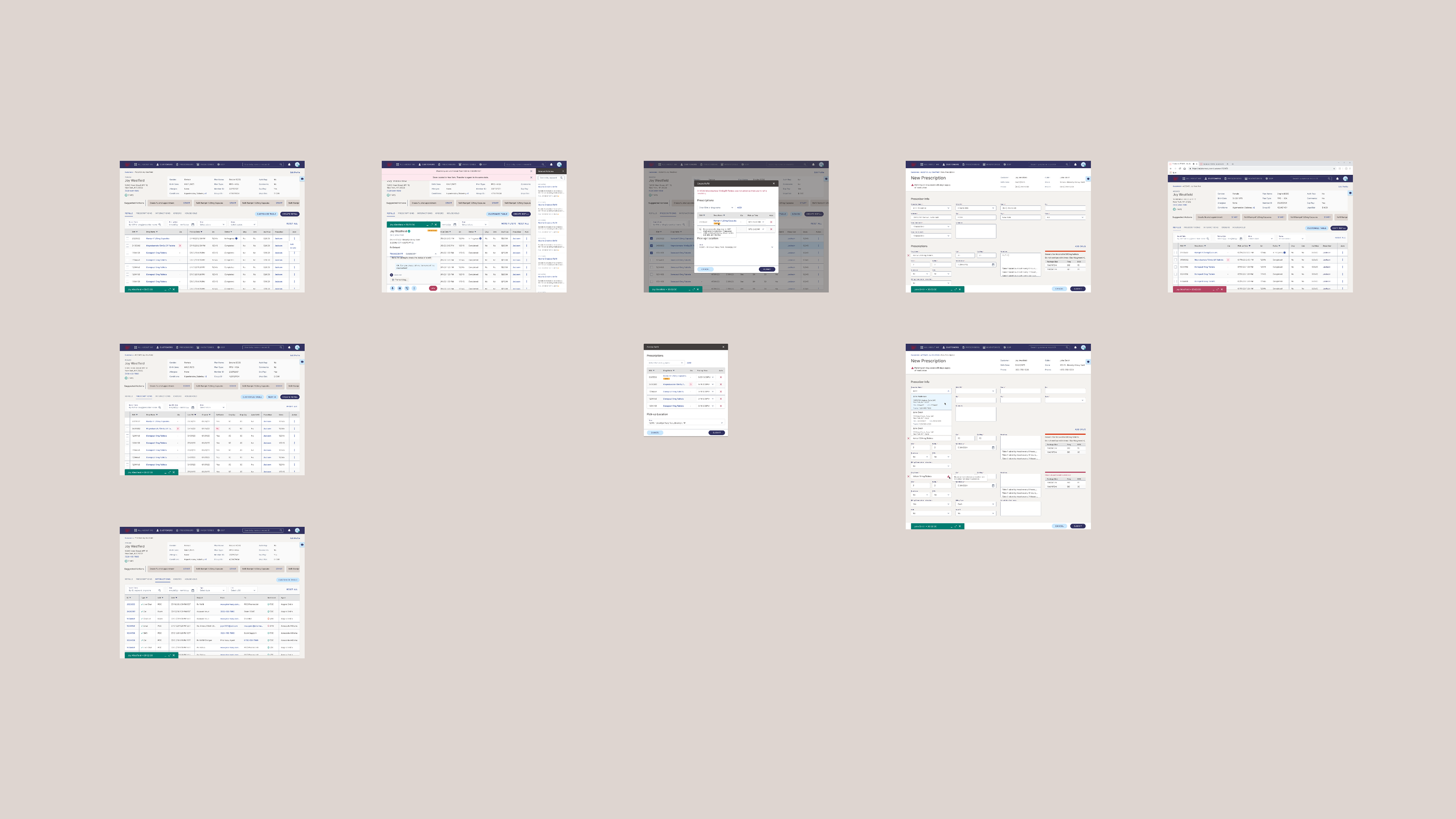
Customer profile & create prescription mockups
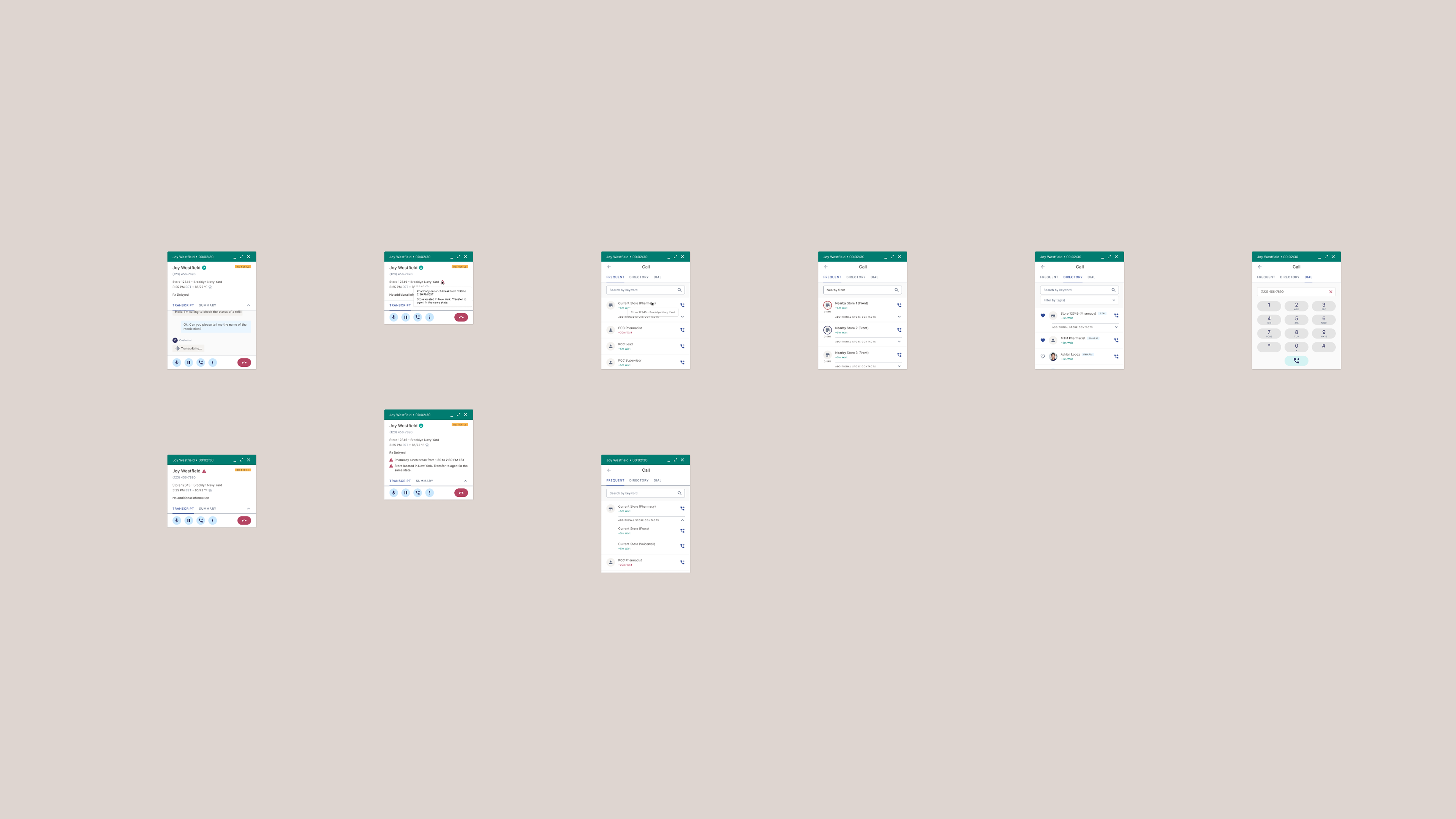
Call panel mockups
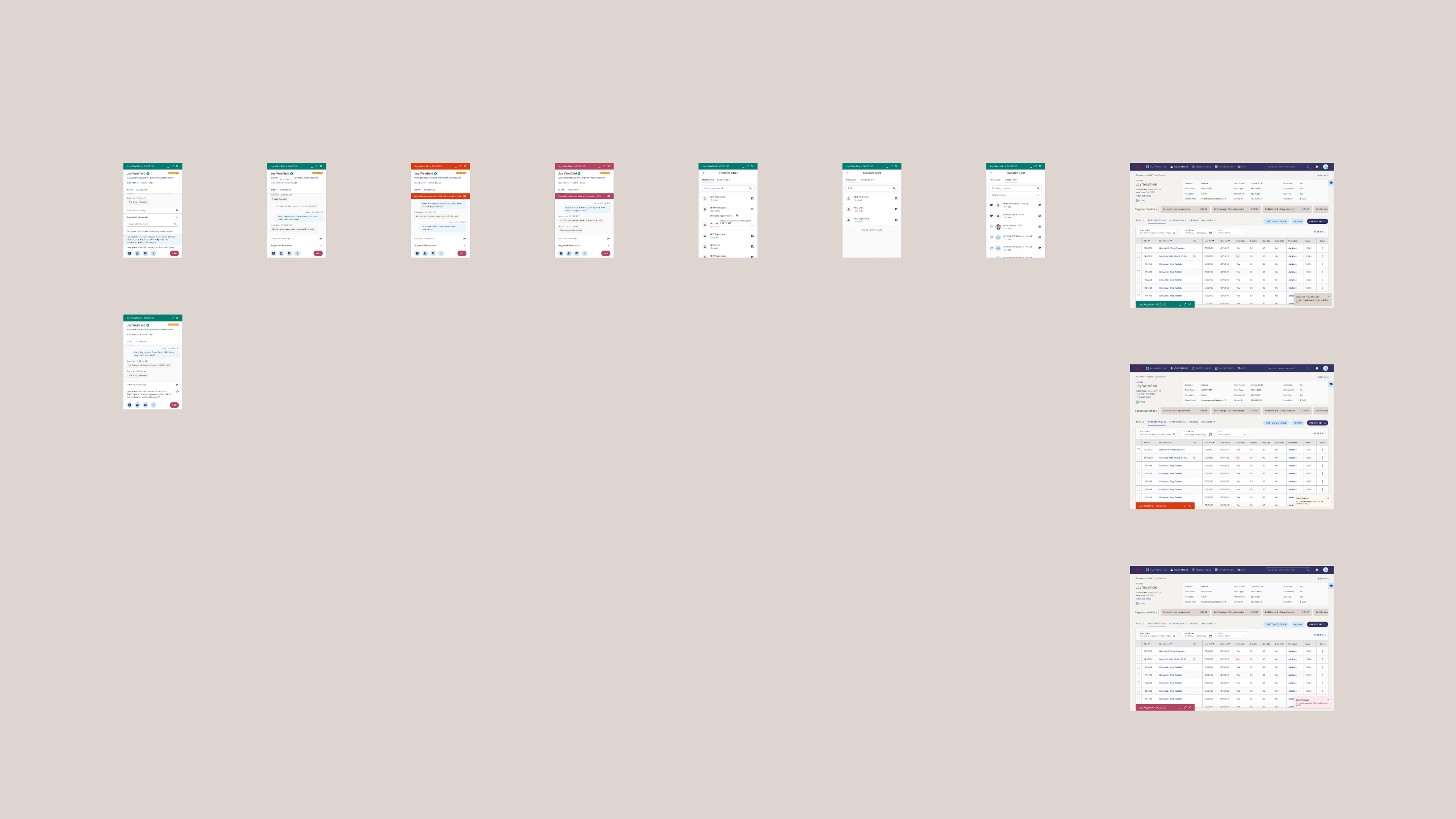
Chat panel mockups
OTHER PROJECTS

Back to Top